 Skip to content
 Writing
A skill to turn agent work into a two-minute audio brief
Install pipa-audio-brief, a free Pipa skill that turns PRs, plans, sessions, and docs into short listening links.
One thing I keep pushing myself toward is running less of my work from my laptop.
Some of that is practical. Trying to work away from my laptop is a good constraint on the business. Every bit of friction shows me something that still needs to be operationalized or agentified. It exposes the parts of the business that still depend too much on me being at a computer.
Some of it is aspirational. I like being able to keep work moving while I am going for a walk, eating ice cream, or generally away from my desk. (P.S. I made a short on how I set up OpenCode so I could do more of that.)
The version of work I keep wanting is one that can move with me. I can still jump into deep sessions when I need to, but I can also live outside of work and have the business keep moving around me: long walks where I can brainstorm, quick check-ins between errands, meaningful progress that does not require me to stare at a screen.
One piece that keeps getting in the way is review.
Agents generate a lot of things for me to read: plans, PRs, specs, summaries, and so on and so on. The pile is not exactly friendly when I am on the go.
That is what pipa-audio-brief is for.
The audio brief skill
Think of it like the summary you want from a sharp coworker before you decide where to dig in. It orients you. It tells you what happened, what changed, and where your attention is needed. You can ask for a brief on anything your agent can access: an agent session, PR, plan, spec, doc, URL, repo changes, metrics, or pasted markdown. The skill turns that into a short audio brief and publishes it as a here.now link, so you can listen yourself or share it with someone else.
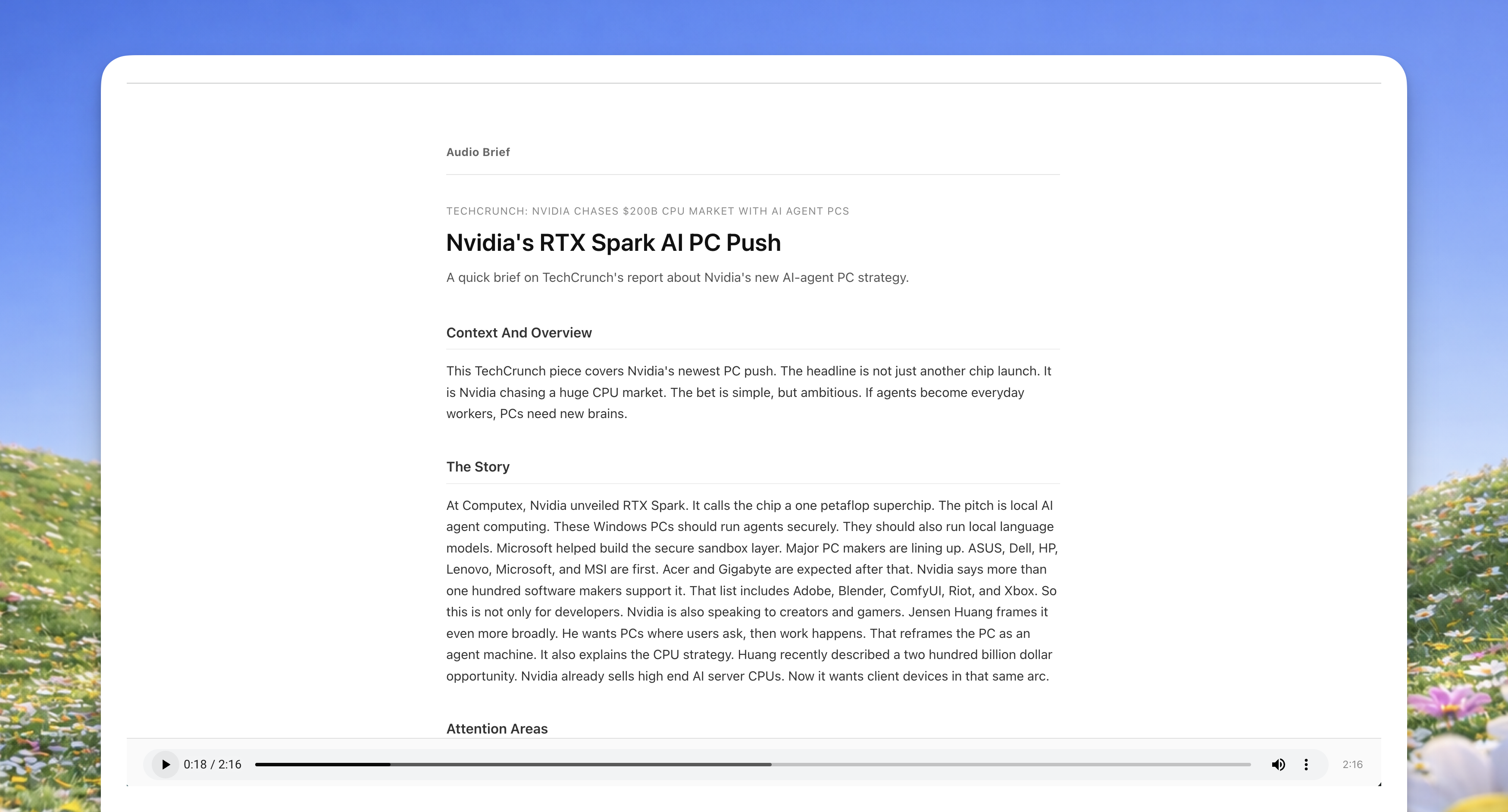
Pipa, our studio operations agent, uses the skill when I need to:
- check what happened across my PRs
- check the shape of a plan before reading the full doc
- get the gist of a PR before opening the diff
- listen while walking, commuting, between calls, or generally doing other things
It’s free and open source. You can use it with any agent including Claude, Codex, OpenCode, OpenClaw, Hermes, or whatever else you use. If the agent can install skills, it can create a brief.
Just run:
npx skills add lunchpaillola/pipa-skills --skill pipa-audio-briefAfter that, your agent can turn whatever you hand it into a listening link.
Every brief follows the same rough path:
- Context and overview
- The story
- Attention areas
- Takeaway
What is behind the skill
Under the hood, the skill gathers the context you point it at. Then it writes a 300 to 350 word spoken brief, generates audio with Kokoro, builds a single page listening UI, publishes it with here.now, and hands back the listening URL.
The architecture notes:
-
No external text to speech API. It runs Kokoro locally, with extra handling for containers and lower memory sandboxes. It needs at least 1 GB of memory. That means I can generate as many briefs as I want without thinking about API costs.
-
The brief opens as a here.now listening page. Authenticated here.now links can persist. Unauthenticated ones expire after 24 hours.
-
The default brief stays around two minutes, even if the source is huge.
Pipa skills are free to install
Pipa audio brief is part of our Pipa skills repository, the set of skills behind our studio operations agent Pipa.
You can use the skill on its own. Install it and give it to your agent.
Pipa is our managed agent for studio operations. This audio brief skill is one thing she can do, alongside the other skills, automations, triggers, and workflows we use to run our work.
If you want to wire and tune that yourself, start with the Pipa skills. If you do not, hire Pipa.