 Skip to content
Writing
Open Weights Versus Frontier AI
I compared five open-weight AI models with GPT-6.2 Sol on the same task. See how long they took, what they cost, and play all six builds.
If you pay a flat monthly fee for AI, it is easy to forget what your usage actually costs.
For everyday users, flat subscriptions hide what it costs to run those models, though the cracks are already showing. In 2025, OpenAI said it was losing money on its $200 ChatGPT Pro plan because subscribers used it more than expected. Anthropic added weekly caps after finding that some around-the-clock Claude Code users were costly to support. Now that Anthropic is a public company, Wall Street is watching its path to profitability closely.
Big companies are already living in the future of AI pricing. When they pay for usage across thousands of employees, they feel those costs right away, and some are already putting limits in place. Uber blew through its annual AI coding budget in a few months and started routing work to cheaper models. JPMorgan’s CFO said the bank did not need a top model just to summarize reports. The bank later capped Claude Code spending for some engineers. Goldman Sachs restricted Claude Code and GitHub coding tools for most traders and bankers, citing productivity and risk among its reasons.
I am no fortune teller, but tighter limits for regular subscribers seem likely.
I already use open-weight models a lot because they offer great value, and I can run them via hosted APIs today and, where the license permits it, on my own hardware later. If you are curious how some open-weight models compare to the frontier, this comparison is for you. I put five of them next to the newly released GPT-6.2 Sol to see where you actually notice the difference.
What is open weight?
The weights are the numbers a model learns during training. When a lab releases those numbers, you can download them and run the model yourself if the license allows it and you have enough computing power. You don’t necessarily get the training data or the code that produced the weights. With a closed model like Sol, you can use it through a service, but you can’t download the weights and run it yourself.
I tried all five through hosted services.
The comparison task
When I give an agent a clear brief and a way to check its work, I notice less of a gap between cheaper and frontier models than I used to. I notice it more when I leave decisions up to the model.
I picked a drum machine because it’s a creative task with clear requirements. I specified how the controls should work and let each model decide what the beats would sound like and what the machine would look like.
I asked for one HTML file that ran offline in Chrome, with eight synthesized drum sounds and two editable 16-step patterns at 108 BPM. One groove should feel sparse. The other should make the room feel louder without turning up the volume. The patterns had to switch on the downbeat, and Fill had to queue a one-bar variation before returning to the groove. Each model named its own drum machine.
I gave each model the same prompt in a separate folder, with no follow-ups. I timed each run from submission to completion, then tried the controls, listened to the grooves, and looked at the design. The video and table use the same Sol retake.
Try the six original drum machines.
Read the full prompt
Build a browser drum machine I can perform with. Ship exactly one file, index.html, in the current folder. It must work when opened directly in Chrome, offline. Use Web Audio to synthesize every sound. Use no samples, libraries, external assets, or network requests.Make two editable, 16-step patterns that use the same eight voices: kick, snare, closed hi-hat, open hi-hat, clap, tom, rimshot, and cowbell. Both patterns come loaded at 108 BPM. Pattern A should feel sparse and syncopated; B should feel like the room just got louder, using rhythm and accents rather than a higher master volume. Make them sound like two parts of the same track. Choose the sound of the kit, the name, and the visual design.
- Click to toggle steps and drag to paint. Editing one pattern must not change the other. Include accented steps that are visibly and audibly distinct.
- Add Play/Stop (also on Space), tempo from 60 to 180 BPM, and swing. Tempo and swing changes must take effect during playback without restarting the loop. Show the current step and flash the cells that actually play.
- While playing, selecting the other pattern queues it for the next bar. Show which pattern is playing and which is queued. Switch on the downbeat without a gap, duplicate hit, or transport restart.
- Add a Fill button. One press queues a one-bar variation of the playing pattern for the next bar, then returns to that pattern without overwriting it. If a pattern switch and fill are queued for the same bar, switch first and play the fill for the new pattern. Show when the fill is queued and when it is playing.
Design this as an instrument someone can understand at a glance. Make the performance controls easy to find and let the sound and visual identity come from your own choices.
Check what you can with the tools available. Finish by reporting what you actually verified and anything you couldn’t verify. Do not deploy or leave a server running.
The results
| Model | Time to finish | Estimated cost per run | What stood out |
|---|---|---|---|
| DeepSeek V4.1 Flash 1017 | 25:14 | $0.30 | My favorite controls. I could click a drum name to hear it before adding it to the beat. |
| Kimi K3 | 10:37 | $1.13 | My favorite beat. The rest of the build didn’t stand out. |
| MiMo V2.6 Flash Free | 32:47 | $0.00 | It did the job and added individual drum previews. Longest run of the six. |
| Qwen3.8 Flash | 8:31 | $0.08 | A playable result, though I found the grid harder to read. |
| GLM 5.3 Flash | 6:50 | $0.12 | Quick to get something I could try. The default beat sounded a little chaotic to me. |
| GPT-6.2 Sol | 6:31 | $1.03 | My favorite design. The little waveform made it feel more like an instrument. |
DeepSeek V4.1 Flash 1017: Nightcap
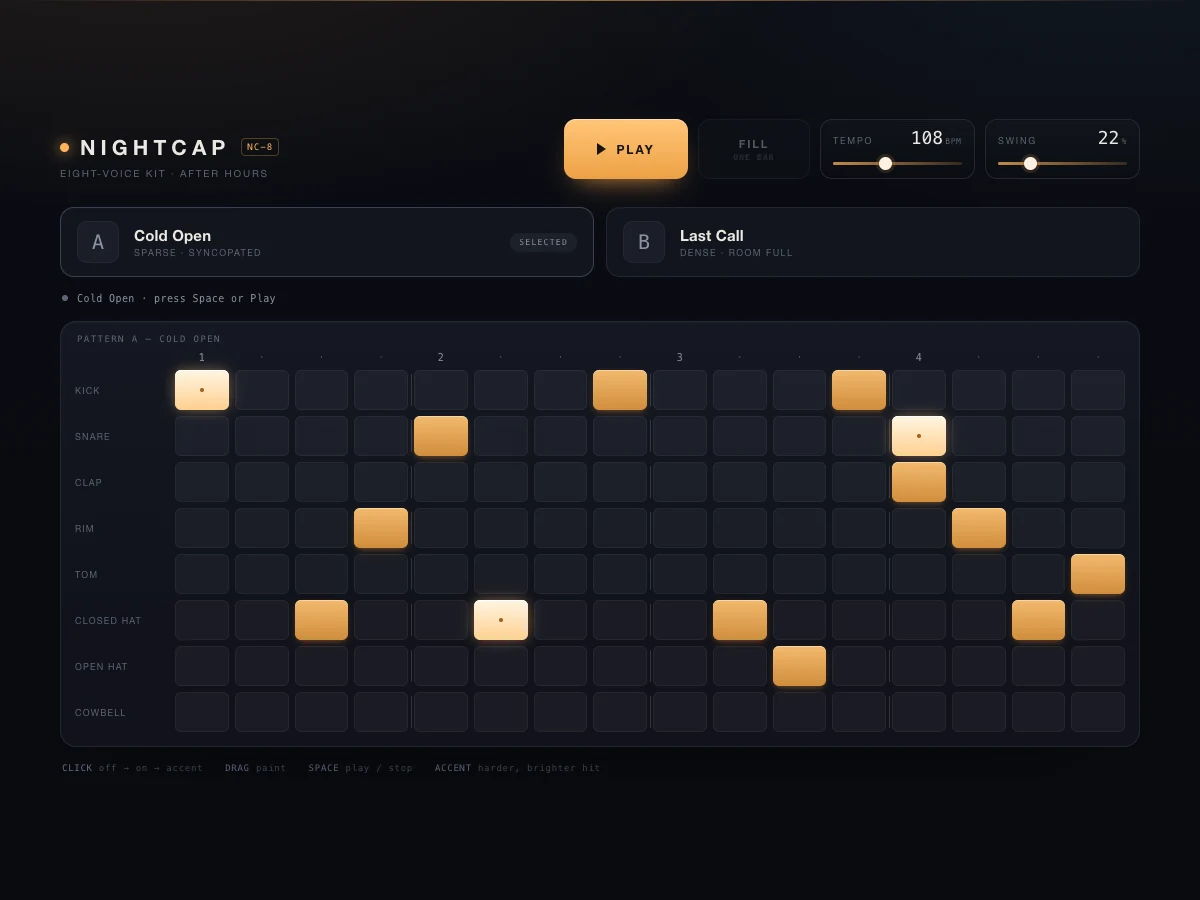
DeepSeek gave me my favorite controls. I could click a drum name to hear it before adding it to the pattern. I hadn’t asked for that.
Kimi K3: Ember-8
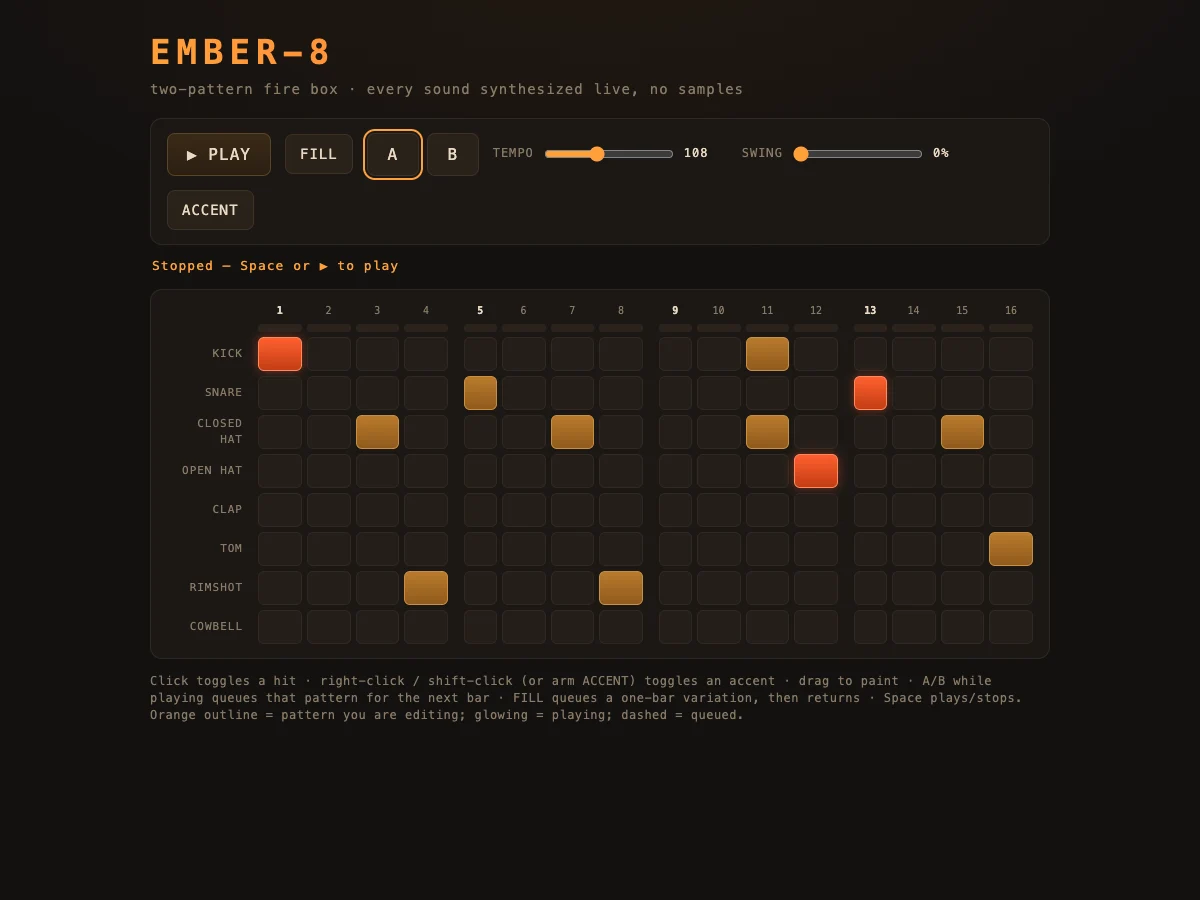
Kimi made my favorite beat. The first groove sounded more layered, but I preferred DeepSeek’s controls. Kimi finished sooner than DeepSeek and had a higher cost estimate than Sol. I wouldn’t pick it for this task on the beat alone.
MiMo V2.6 Flash Free: Kiln
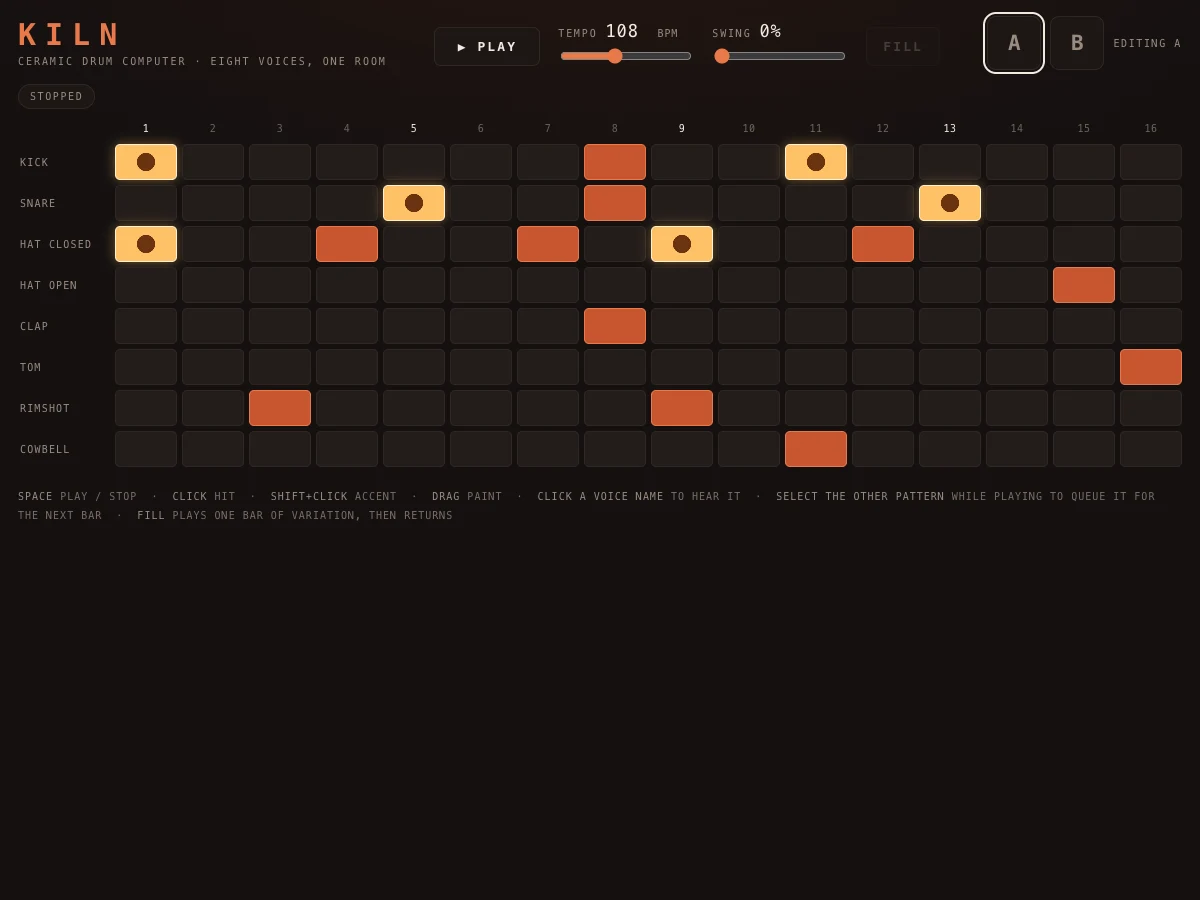
MiMo surprised me. Like DeepSeek, it let me preview each drum. I could make a beat with it, and the run was free. At nearly 33 minutes, I’d try it on a job I can leave running.
Qwen3.8 Flash: Dusty-8
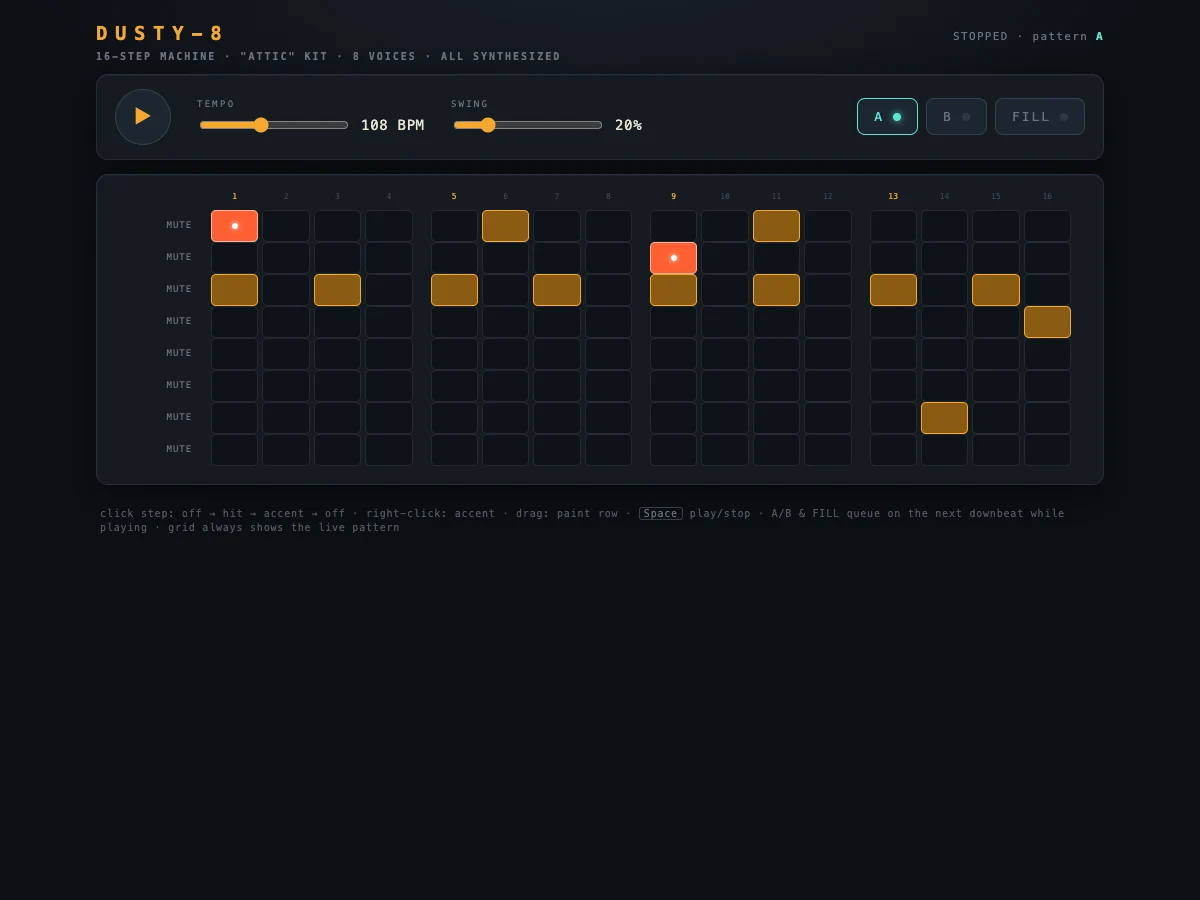
Qwen gave me something playable in eight and a half minutes for an estimated eight cents. I had more trouble reading its grid while changing the beat.
GLM 5.3 Flash: Sidewinder
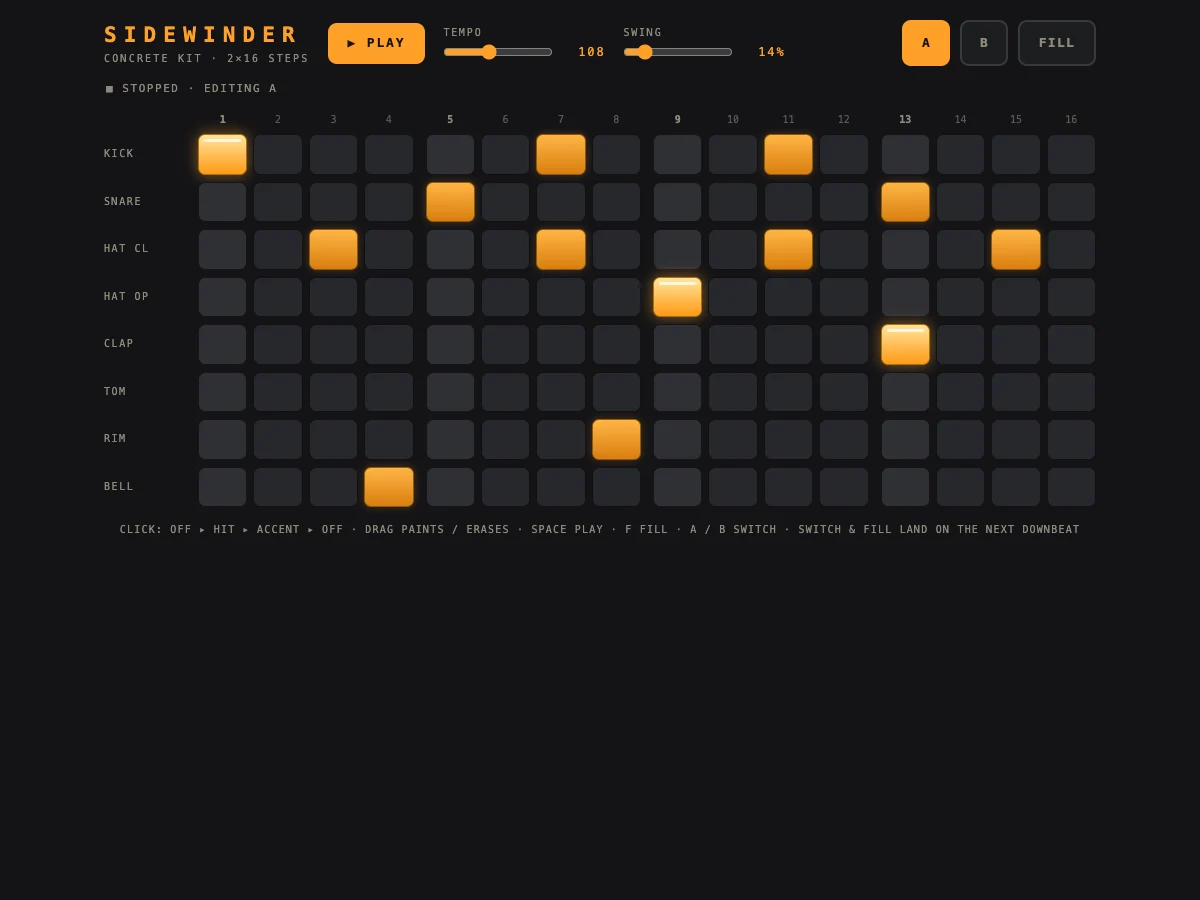
GLM gave me a playable build in under seven minutes. The default beat sounded a little chaotic to me, but I could change it. I’d try GLM again for a quick prototype.
GPT-6.2 Sol: Pocket Relay
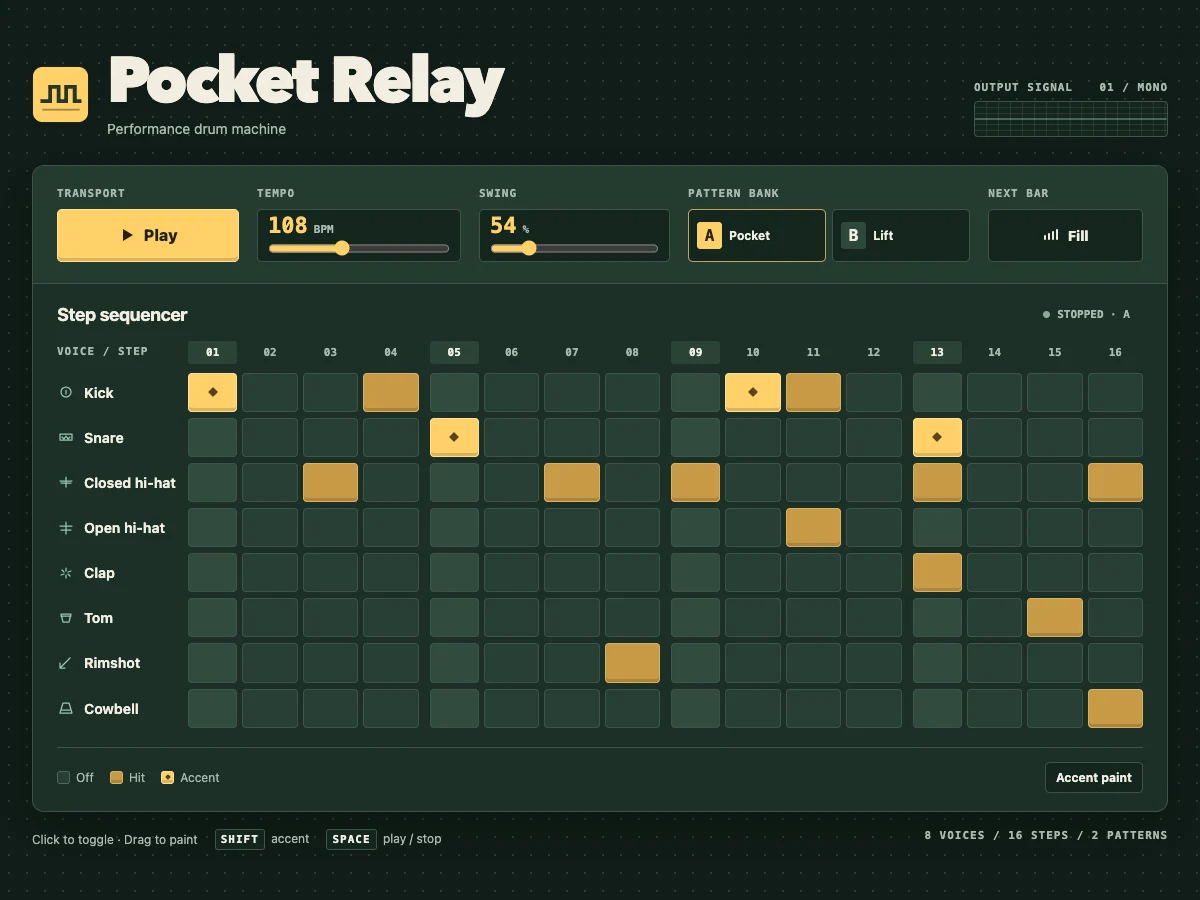
Sol made my favorite design. The little moving waveform made the page feel more like an instrument. That’s the kind of first pass I’d pay more for.
Conclusion
Honestly, all six builds were fine. Every model did the task. Where they differed was in the choices they made: how the controls worked, how the machine looked, and how musical the beat felt. I expected a bigger gap. All the more reason to use cheaper models when you can. Next time I’d give them a harder task, like adding a feature to an existing app.
That’s it!
P.S. I use OpenCode Go to try several hosted open-weight models on one subscription. If you already use OpenCode and want to run company workflows from Slack, that’s what I built Pipa for. You can run it yourself or get help setting it up through Pipa for Teams.