.png?table=block&id=0b9eb63f-5324-4fc4-b7e4-3e7a0813f232&cache=v2)
Do not index
The average employee spends a staggering 33% 🤯 of their day in meetings, making the role of the notetaker essential but often cumbersome. Traditional handwritten meeting summaries, while vital, are notorious for being time-consuming and error-prone. The effort required to transcribe and summarize content accurately can divert precious resources and pull you out of the present moment.
Recent years have seen the emergence of automated note-taking solutions that handle transcription for you, allowing you to focus on what truly matters. Whether you'd like to offer this as a feature for your users or use it internally, this tutorial guides you through creating your very own automated note-taking system. We'll explore a collaboration with Daily and show you how to harness their video APIs alongside Open AI's GPT APIs. With that said, let's get into it!
How it works
Here’s a glimpse of what you’ll be creating in this tutorial:
- Start the App: Open up a video call and get ready to join
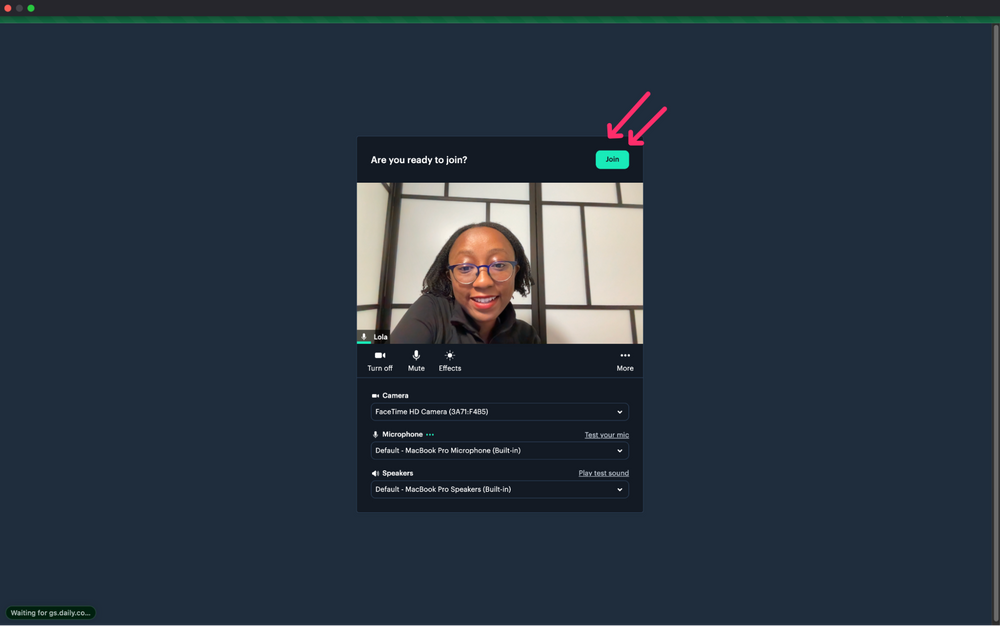
- Record the Conversation: Once in the video, easily start recording your conversation from within the call.
.gif%3Ftable=block&id=7a317695-aa9e-487b-9183-64bb6a5da5b2&spaceId=480f0932-72ea-496f-a70d-3632da8d6e99&expirationTimestamp=1792713600000&signature=nqyitvX3ADPdewMgHuvKqwx7G9Ti6fYD9wsb16SMVLs?table=block&id=7a317695-aa9e-487b-9183-64bb6a5da5b2&cache=v2)
- Transcribe and Summarize: When you're finished recording, the transcription and summarization will begin.

4. The Final Touch: Whisper API takes care of transcription, ChatGPT-powered summarization condenses the key insights, and an email summary is sent to you

Ready to dive in?
If you’re ready to explore the behind-the-scenes, you can find detailed step-by-step instructions in the blog post with Daily.

That’s all for now, but the conversation doesn’t have to end here! What would you use automating transcripts for? Feel free to tweet me or reach out directly with your thoughts.
.png?table=block&id=9ba33ac6-8e12-48f6-b980-4333b612ec56&cache=v2)